Desktop app
Worktree Manager
A small desktop app that finds every git worktree on your machine, shows which ones are safe to delete, and cleans them up.
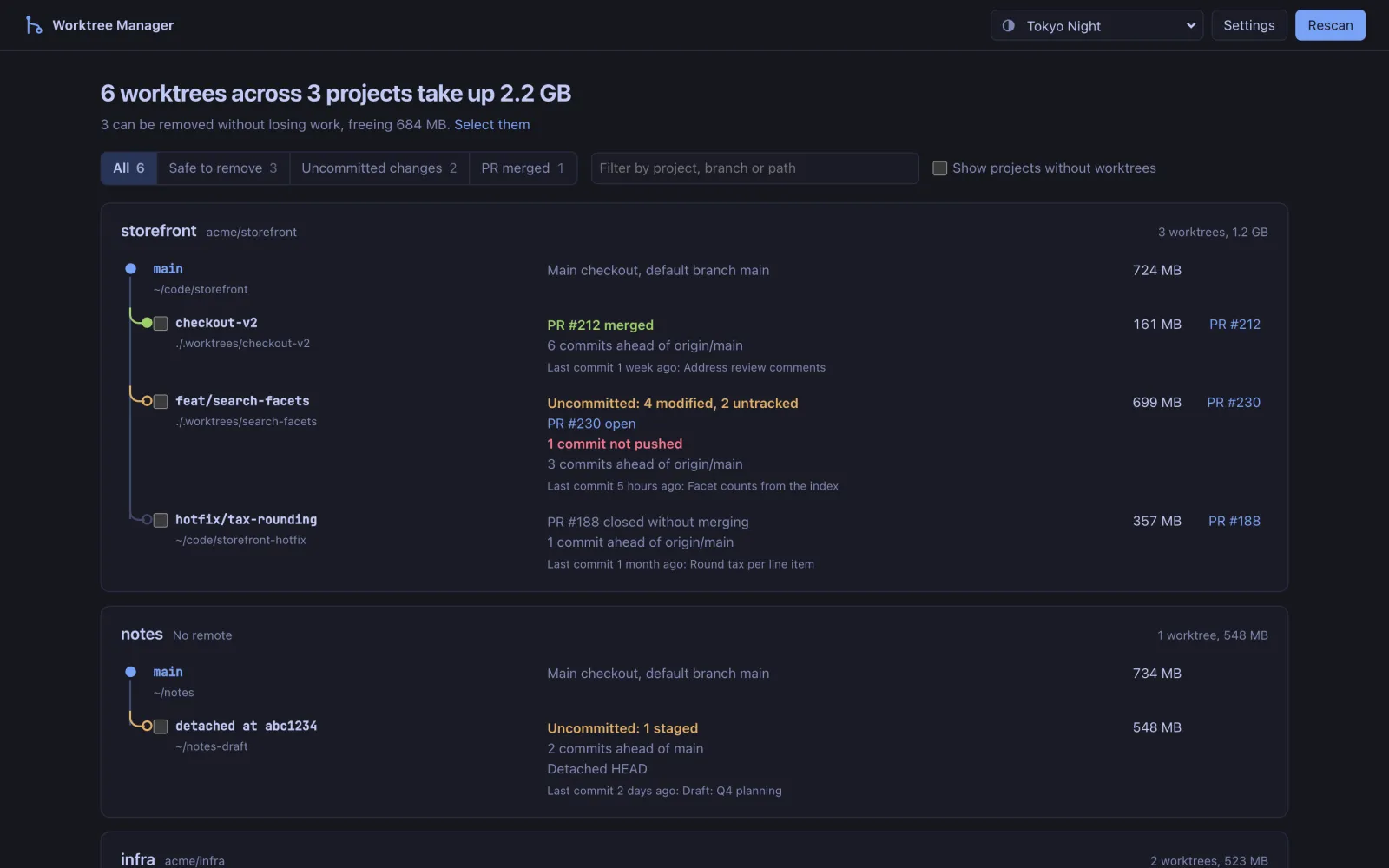
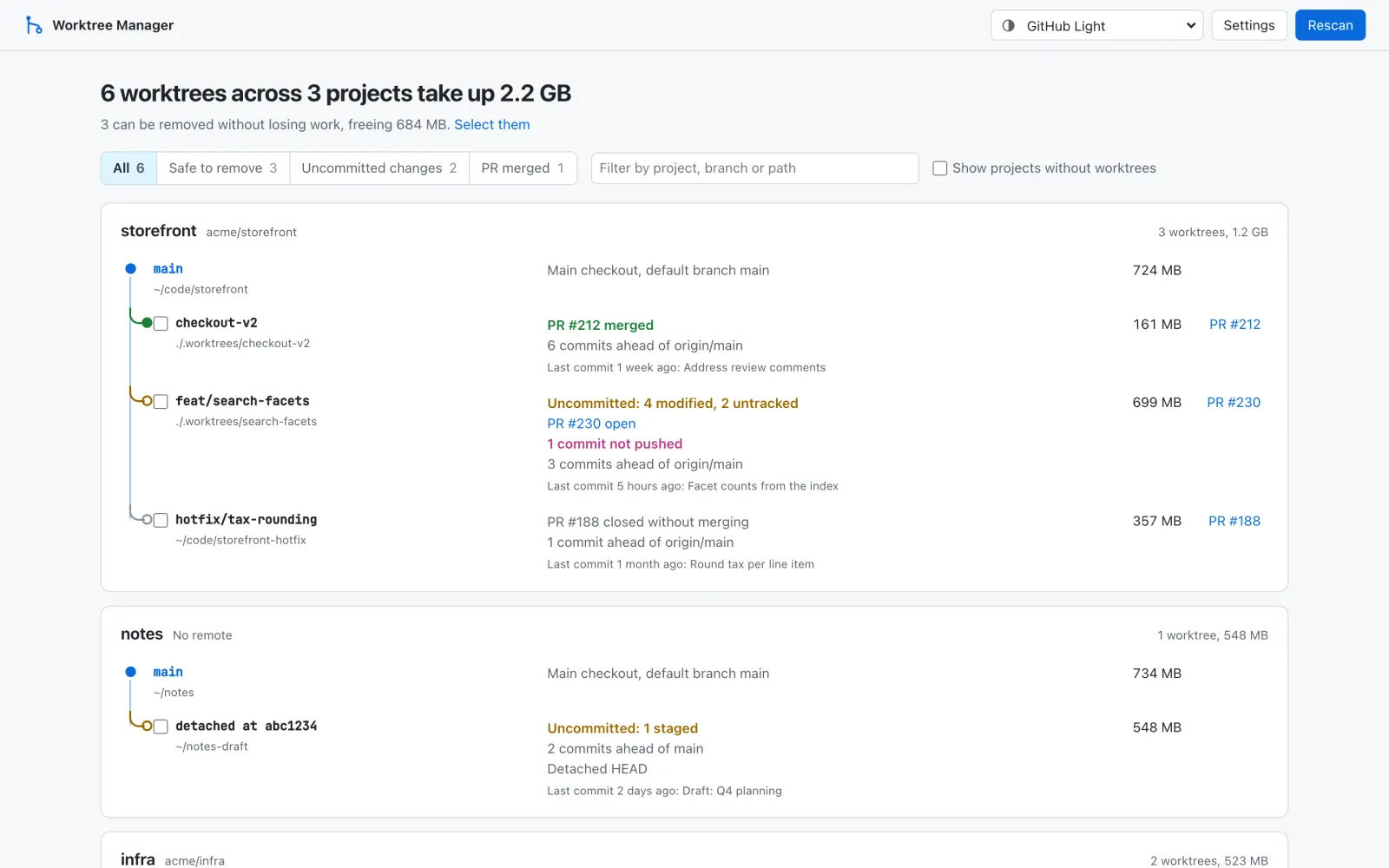
- Type
- Desktop app
- Platform
- macOS, Windows, Linux
- Status
- Daily driver
- Built with
- Tauri 2 / Rust / Svelte 5 / TypeScript
- Each project drawn as a tree of its worktrees
- Knows when a squash-merged branch is safe to delete
- 4.4 MB app that shells out to your own git
The problem
Coding agents love worktrees. Every task gets its own branch in its own folder, which is great for working in parallel and terrible for disk space. After a few weeks I had dozens of them scattered across projects, each a full checkout with its own node_modules or build folder. git worktree list only knows about one repo at a time, and it can't tell you which of them still hold work you care about.
So the question this app answers is simple: which of these can I delete without losing anything?
A tree per project
The app scans the folders you choose, finds every repository and its linked worktrees, and groups them by project. Each project is drawn as a small tree: the main checkout is the trunk and every worktree branches off it. The colour of each branch shows its state at a glance (green for merged, amber for uncommitted work, grey for closed). Beside each one is everything you'd otherwise have to check by hand:
- uncommitted changes, broken down into staged, modified, untracked and conflicts
- commits ahead of or behind the branch it was created from, and commits that were never pushed
- missing folders and locked worktrees
- disk usage, measured in the background, without double-counting nested checkouts
- the GitHub pull request for the branch, if you turn that on
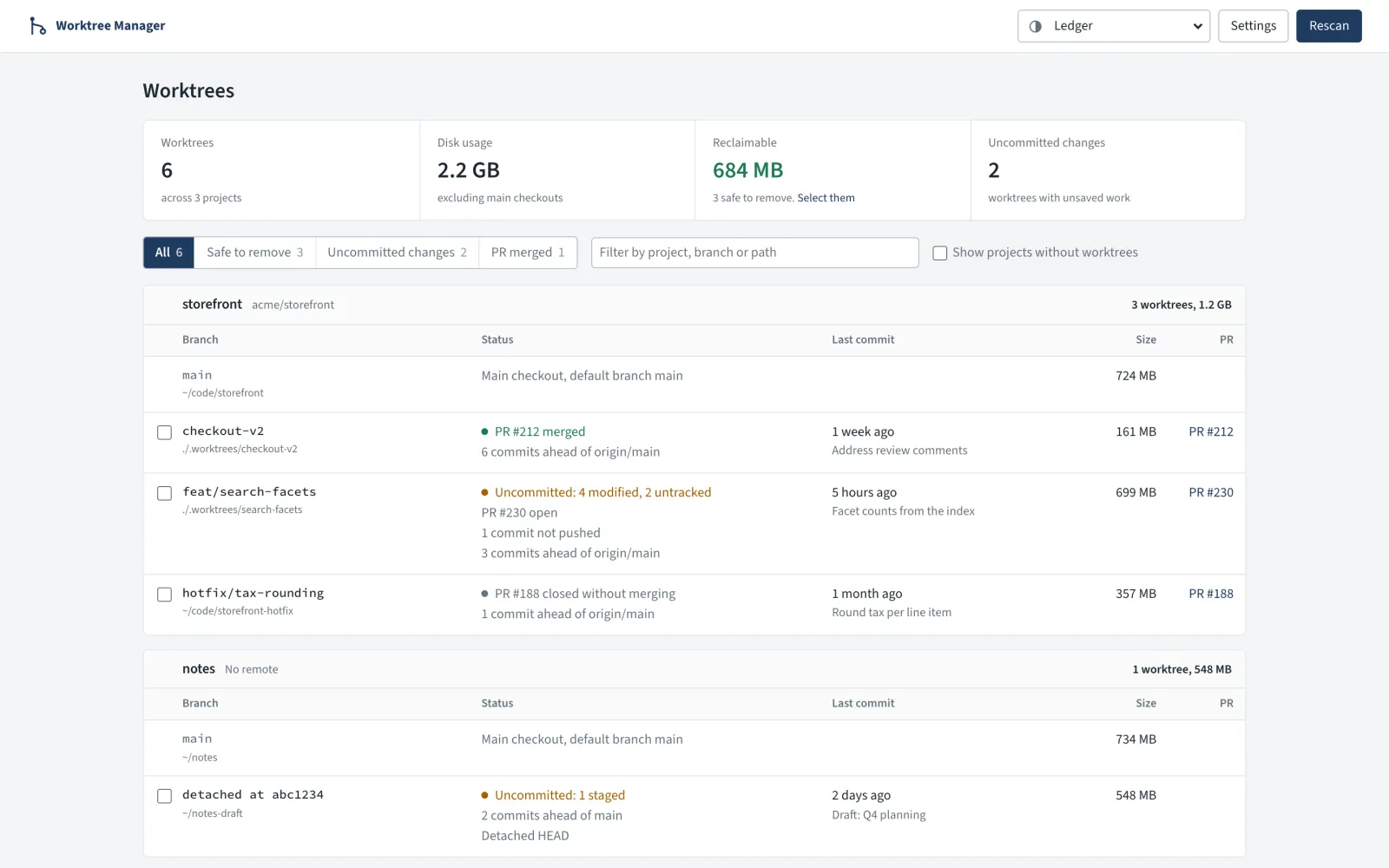
What "safe" means
This was the interesting part. A worktree counts as safe to remove when it isn't the main checkout, has no uncommitted changes, isn't locked, and one of these is true: its PR is merged, it has no commits beyond its base branch, or its folder is already gone.
"Its base branch" turned out to be subtle. Git doesn't record where a branch came from, but git worktree add -b leaves a branch: Created from … line in the reflog, so the app reads that and falls back to the repo's default branch. The PR check matters because of squash merges: GitHub merges your work as one new commit, so git still calls the original branch "unmerged" even though nothing would be lost. Asking GitHub catches that.
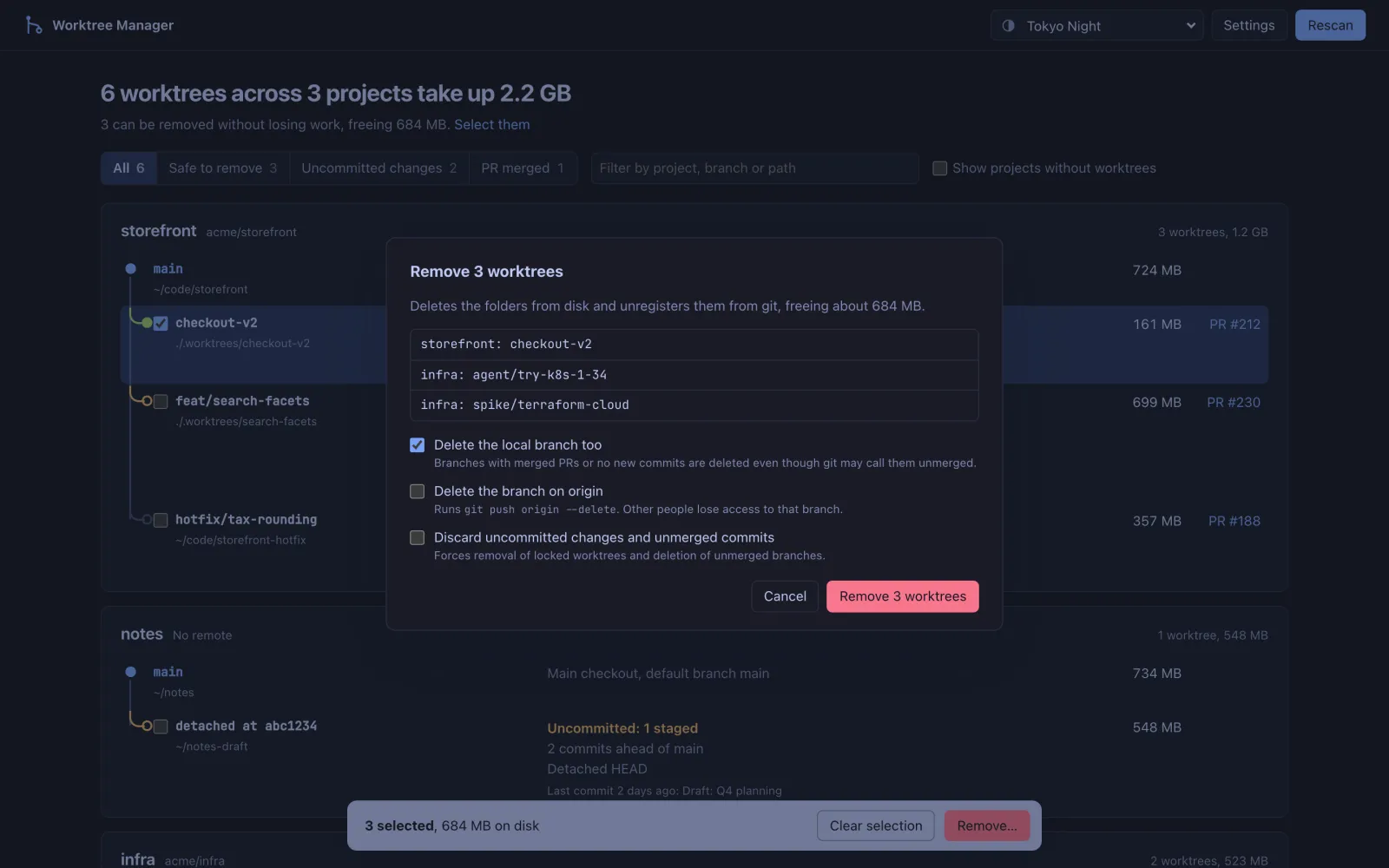
Cleanup is one click on Select them, then a dialog that says exactly what will happen. It can also delete the local branch and the branch on origin. Anything that isn't safe needs an explicit "discard uncommitted changes and unmerged commits" checkbox before it will go.
Why Tauri
I wanted it on all three desktop platforms without shipping a copy of Chromium. Tauri uses the operating system's own webview, so the macOS bundle is 4.4 MB, compared with the usual 80–150 MB for an Electron app. The backend is Rust, which suits the slow parts: walking the filesystem in parallel and measuring folder sizes. Rather than bundling a git library, it shells out to your installed git, so what it reports always matches the command line.
GitHub access is opt-in. Nothing is sent until you switch it on in Settings, and then it uses a token from Settings, $GITHUB_TOKEN, or your existing gh login, in that order.
Small things
There are five visual styles (Ledger, Mono, Graphite, Air and Tonal) plus a classic look in popular editor palettes like Tokyo Night, Dracula, Nord and Catppuccin. The UI also runs in a plain browser against mock data, which is how the screenshots on this page were made. The Rust side has end-to-end tests that build real temporary repositories, and pushing a version tag makes GitHub Actions build installers for macOS, Windows and Linux.