macOS app
Volta
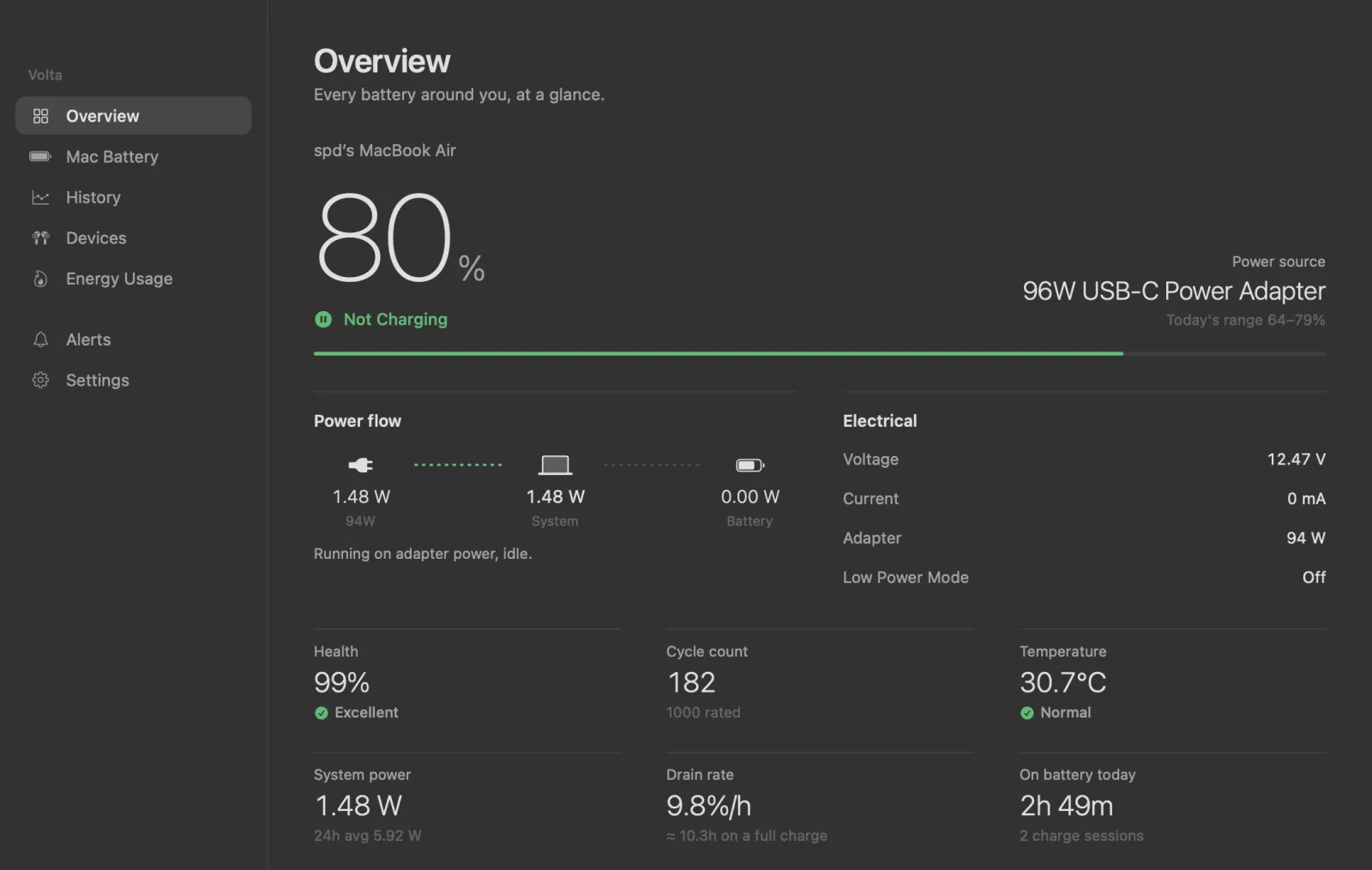
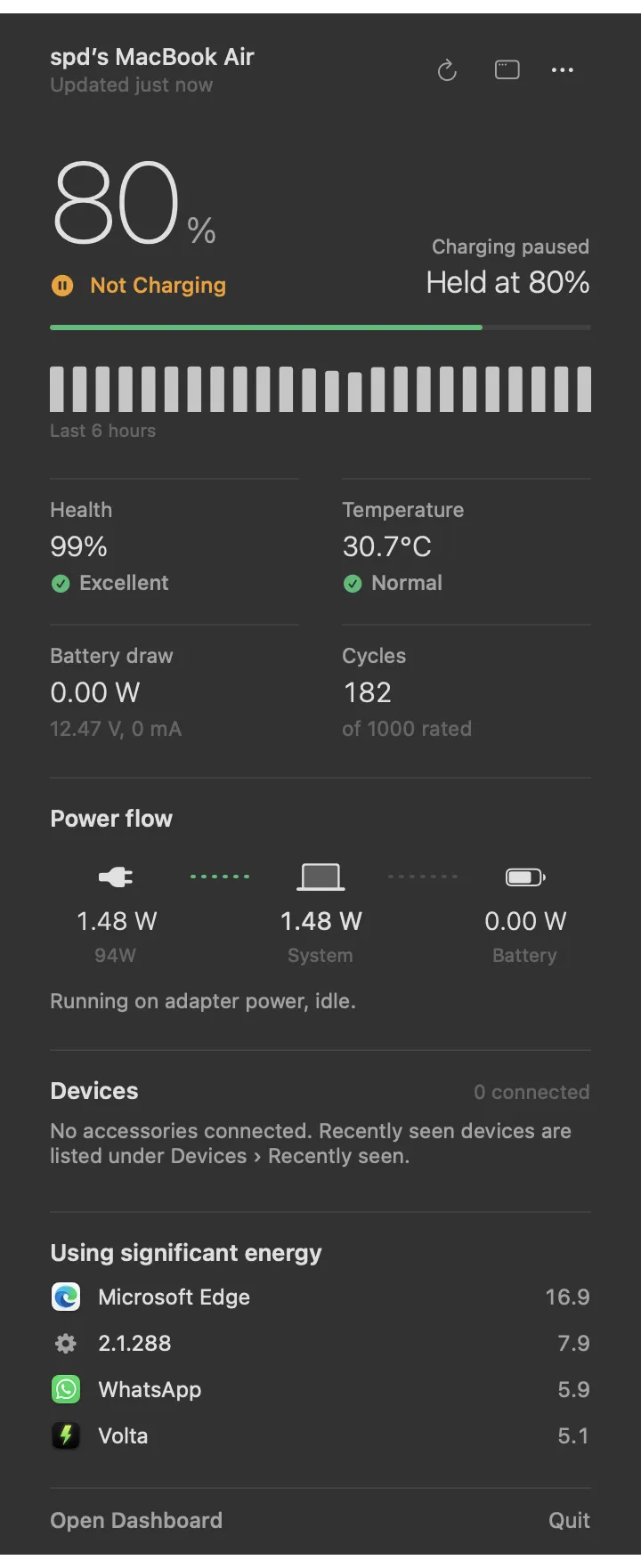
A menu bar app that watches every battery around your Mac: deep detail for the Mac itself, plus AirPods, Magic accessories, iPhone and Watch.
- Type
- macOS app
- Platform
- macOS 15+
- Status
- Daily driver
- Built with
- Swift / SwiftUI / IOKit / CoreBluetooth
- Reads the battery controller straight from IOKit
- Per-bud and case levels for AirPods
- All history stored locally, nothing leaves the Mac
Why build another battery app
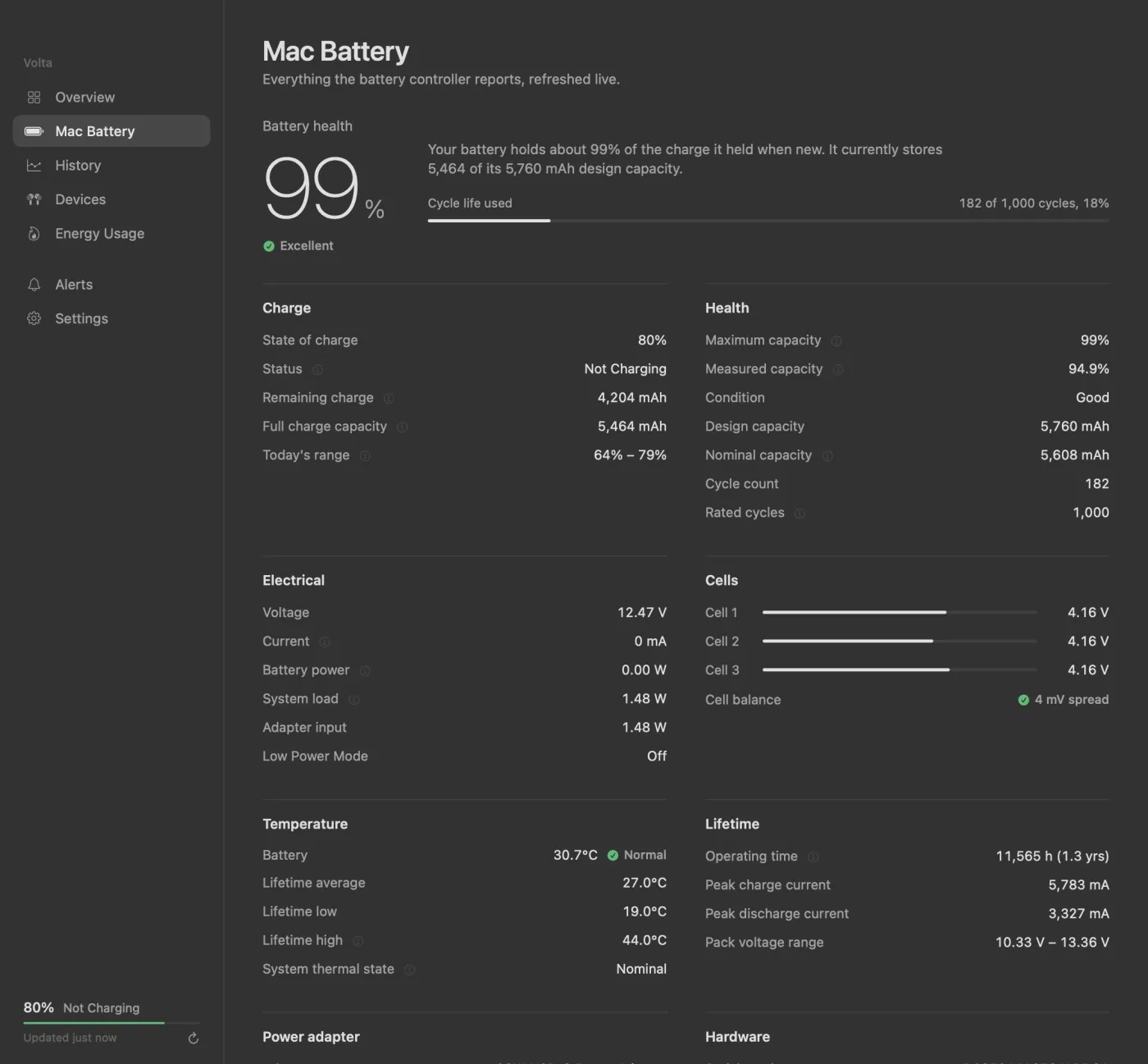
macOS gives you one percentage and a vague health label. The battery controller knows far more than that: per-cell voltages, real wattage in and out, lifetime temperatures, peak currents. My AirPods, iPhone and Watch each report their battery somewhere else entirely. I wanted all of it in one place, quietly sitting in the menu bar.
Going straight to the source
Volta doesn't guess. Each number comes from the system API that owns it:
| Data | Source |
|---|---|
| Charge, state, time remaining | IOPSCopyPowerSourcesInfo, plus change notifications for instant plug/unplug |
| Capacities, cycles, cells, lifetime stats | AppleSmartBattery in the I/O Registry |
| System load and adapter watts | PowerTelemetryData in the I/O Registry |
| AirPods, Beats, Magic accessories | Accessory power sources and HID BatteryPercent |
| iPhone, iPad, Apple Watch | CoreBluetooth's standard GATT Battery Service (0x180F) |
| Per-app energy | top -o power, with helper processes grouped under their app |
The details that took longest
The hard part wasn't reading a number. It was making sure the number was true. iOS only shares its battery level over Bluetooth, not whether it's charging, so a phone on a charger kept showing up as "not charging". The fix I'm working on now is a second path: when a device is plugged in over USB, Volta asks it directly through the lockdown service and merges that answer with what Bluetooth reports. AirPods had a similar problem, with the case and each bud reporting through different combined power sources, and that one is already fixed.
There's also an animated power flow (adapter → system ← battery) with live watts on each leg. It's the quickest way I've found to understand what "charging paused at 80%" actually means.
Small things
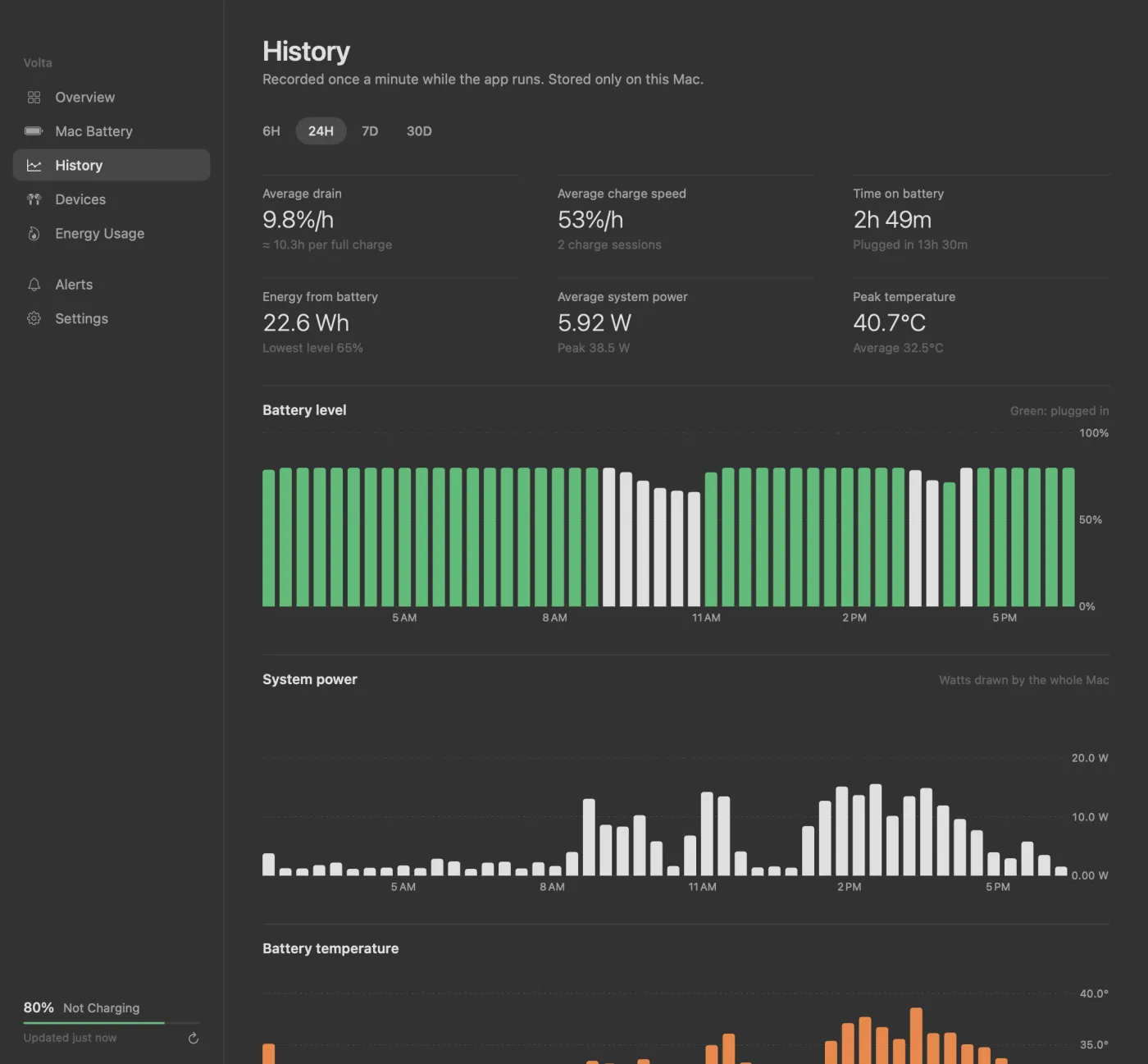
Alert rules can fire on any device crossing a level, as a banner, a notification or a sound. There are colour themes with a pitch-black default, a choice of menu bar icon styles, and a --snapshot mode that renders every screen to PNG for design review. All of the screenshots on this page came from it.